Getting started
This guide covers your first life in NightZ.io: gathering resources, placing a base, choosing an upgrade, and starting again after death.
First minute
Section titled “First minute”- Open NightZ.io and wait for Click to start playing, or Tap to start playing on touch devices, to become available. Activate it to spawn at level 1.
- Check your hotbar. The
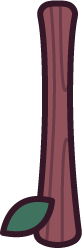 Stick is selected when you spawn; the other occupied
slots hold the
Stick is selected when you spawn; the other occupied
slots hold the 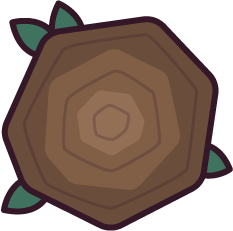 Wooden Wall and the
  Wooden Miner.
On a keyboard, move with W A S D and aim with the mouse. Read the
controls guide for touch, gamepad controls and Settings bindings.
Wooden Miner.
On a keyboard, move with W A S D and aim with the mouse. Read the
controls guide for touch, gamepad controls and Settings bindings.
| Stick | 1 |
|---|---|
| Wooden Wall | 2 |
| Wooden Miner | 3 |
 Spawn protection blocks damage for up to 300 seconds
after spawning. It ends early once your melee hits, projectiles, explosions or structure attacks
deal more than 1 total damage to players, structures or enemies. Gathering
and dismantling friendly structures do not end it.
Spawn protection blocks damage for up to 300 seconds
after spawning. It ends early once your melee hits, projectiles, explosions or structure attacks
deal more than 1 total damage to players, structures or enemies. Gathering
and dismantling friendly structures do not end it.
Resources
Section titled “Resources”Your starting resources are  300 gold,
  300 wood,
  300 stone. Hold Use item (left mouse button by
default) while facing a nearby tree or stone. Each connecting Stick swing
gathers up to 5 wood from a tree
or 5 stone from a stone, and also gives experience.
See trees and stones to identify the resource you need.
300 stone. Hold Use item (left mouse button by
default) while facing a nearby tree or stone. Each connecting Stick swing
gathers up to 5 wood from a tree
or 5 stone from a stone, and also gives experience.
See trees and stones to identify the resource you need.
Auto attack (E by default) keeps swinging without holding the mouse button. It keeps running through chat, menus and death until you toggle it off or lose your connection.
- Select the Wooden Wall with 2 by default, then press Use item to place it
in an open spot. Each wall costs 50 wood. Trees, stones and existing
structures can block placement, so move the placement away from them if it fails.
- Select the Wooden Miner with 3 by default and place it in another clear
spot. Each miner costs 10 wood. While you are alive, it normally earns
you 2/s gold before any gold mine bonus.
- Switch back to the Stick with 1 by default to gather again.
Successful placement spends the structure’s cost; selecting it spends nothing. Read building for placement rules and structure limits.
Upgrades
Section titled “Upgrades”Your first upgrade point is a weapon point at level 2, after earning 10 experience. Gathering gives experience without ending Spawn protection.
On a desktop, click a weapon icon under Choose next upgrade. On touch devices, open Upgrades and press Choose beside the weapon you want. Your choice replaces the Stick, costs no resources, and determines which weapon upgrades you can choose later in the same life. Read choosing upgrades before spending the point.
Respawn
Section titled “Respawn”When you die, you keep 30 % of each resource
and 30 % of your total experience. Your items and upgrade
choices reset. The next life restores at least 300 gold, 300 wood, 300 stone, and retained
experience restores the levels and points it earns. On the death screen, wait for Continue to
become available, then use it to return to the spawn screen and start again.
Your walls and miners remain after death and still count toward your limits. Miners stop producing gold while you are dead and resume after you respawn. Leaving the server removes your structures. See death and respawn for the retention rules.
Next steps
Section titled “Next steps”- Farming resources covers gathering and other resource sources.
- Choosing upgrades explains later upgrade choices.
- Fighting zombies introduces enemy combat.
- Player versus player covers fighting other players.